Comments on Mac OS X Lion

The actual title of this post is “A couple of things I hate about OS X Lion.”

So, what’s the big improvement in Mac OS X Lion? What does it enable users to do that they couldn’t do before?

In terms of interface, it seems to be a political, not user-oriented movement. The interface decisions say to me: “we’re moving laptops towards touch-screen interfaces.” It may be a strategic step in the next direction for the company. But does it work for the user?

The biggest, and, pardon my French, stupidest mistake/bad idea in Lion is “natural scrolling.” By “natural scrolling” they mean reversing the scroll direction, so now you scroll up if you want to go down a page. Why is this stupid? Let me count the ways:

  1. It takes a behavior that is so ingrained, for some people, since birth – for others, since they started using mice in the early ’70s – a behavior that’s more than second nature, it is automated and memorized by the body and it attempts to reverse it. Good luck with that. After trying natural scrolling for a bit, I got so confused, I don’t know which way is up or down. Good thing you can turn it off.
  2. It takes a behavior that is indeed natural in a touch-screen device when you interact directly with the content, not with the scroll bar and imports it to another, very different device. Just because this behavior is natural on the iPad, where you are touching the page, not the scrollbar, it does not make it so on the computer interface – where design conventions are different, and scroll bars still exist, even if Safari won’t display them.
  3. It forgets that people interact with computers via mice, not only track pads. Don’t get me wrong, I love the track pad. I love the feel of it and the way it works. It’s just that after using it for 6 months without a mouse, my hand hurts so badly, sometimes I think I broke a bone (or more). So I can’t use the track pad, because it literally hurts my hand. I use a mouse. Where scrolling behavior is so automatic (see #1) that all of us are too old to learn a new trick. And where scrolling up is a much more difficult, inconvenient, painful gesture than scrolling down. So, when using a mouse, this natural scrolling is bad, bad, bad for the 3 reasons named before.

Good news: you can turn it off. System Preferences > Trackpad > Scroll & Zoom

What else does Lion do, besides trying to persuade me my MacBook Pro is an iPad?

The Mail interface is much better now, and I can begin to tolerate it – because it looks more like Outlook, which is the only Microsoft product I like. BUT.

They added these silly, annoying animations that are a complete waste of time and, after you’ve seen them once, become a plague. When replying to an email, upon hitting the reply button, the email message I’m replying to does this little dance. It hops out of its place, floats to the top right of the screen, then it settles down in front of me and only then can I begin to type. Cute, the first time. Completely unecessary annoying waste of time after that. Life’s too short to watch email messages dancing on the screen a hundred times a day. I swear I saw Safari dancing around a bit (or some unnecessary animation) when I started it. I haven’t figured out if or how to turn these off.

iCal is pretty much the same. They moved some buttons around, hopefully based on usability studies. No problem there. But they made it look cheesy. The top bar looks like leather (really?!) and it has little marks where you see you “tore off” the previous page. Really?! Talk about adding unnecessary cutesy stuff. And cutesy is a matter of taste. So if you add it, you must allow people to customize it. But I haven’t figured out a way to do it, and am not sure it is possible. If it is, I shouldn’t have to spend 20 minutes trying to find it. Right click, baby. Can we still do that? Oh, wait, two finger tap. Why is that wrong about iCal?

  1. Things that pretend to be what they’re not are tacky. That is not leather. I don’t want it to look like leather. In fact, I don’t really want it to get my attention.
  2. Many people hate leather.
  3. Many people hate that ugly color they chose for the “leather”
  4. The paper calendar metaphor hurts computer-based calendars by imposing on them paper-based page limitations. Cooper wrote about that a long time ago (see pp 37-38). I wonder why nobody listens?

I’m also experiencing some erratic behaviors, like random windows being brought to the front when I select an email address in the To field in Mail… but I assume those were not intended as a way to add excitement to users’ lives.

Tell me, what do you love/hate about Lion?

Lafayette Twestival Ticket Giveaway

March 24 is Twestival Local 2011.

What is Twestival?

Twestival is a way for people to get together and donate to a local cause. It is mainly organized on Twitter, and showcases the power of Twitter to help people organize and do good.

What happens at Twestival?

Once you get in, you listen to local bands, talk to people, have a drink… it’s just a fun night out, but you know that the ticket money goes to a good cause. This year, the proceeds go to City Foods.

Twestival will be held downtown Lafayette at the Muse.

See more details here.

I believe it’s a worthy event, and a good opportunity to meet people from the community, many of whom love social media just as much as you do!

I know students are strapped for cash, and that’s why I want to give away some tickets.

I will give away 5 basic tickets to Twestival. All you have to do is write a comment below explaining why you want to go, or why you think people from the community should attend.

You do not have to by my student, or a student, to enter.

I will select the winners through a random drawing on Thursday March 24 at 2 pm, so make sure you enter your comment before then!

March 15: Adopt the Internet

Today is Adopt the Internet Day – Petfinder invites bloggers to spread the word about animal adoptions.

I’m happy to participate and feature an adoptable pet from the Greater Lafayette, Indiana, area on this blog. But, with so many adoptable pets out there, how can I choose just one?! There are almost 8,000 adoptable animals within a 100 mile radius

I’m picking this one almost randomly (OK, she’s a cat, that’s not random):

From Cricket’s Petfinder profile:

Cricket’s owner died recently, and Cricket needs a new home. She is between 5-7 years old, she’s has had her shots and was recently spayed. She does not like to be with other cats, but is OK with dogs. She is a very tiny girl, with glowing green eyes and the softest fur we’ve ever felt on a cat. We know that her previous owner mistreated her by withholding food, and we suspect other cruelties as well because it takes Cricket a while to trust a new human. Once she trusts you, though, Cricket is the perfect loving kitty who will sleep with you and will sit in your lap for hours, purring like a motorboat. She’s called Cricket because shes always talking to her human, saying chirrup constantly. She’s had a very rough time and deserves a warm, stable home. Can you give it to her?

We kill too many unwanted animals in this country. You have to take a look at this Pawcurious post to get a sense of the scale of animal deaths in the U.S.


Natural user interfaces, movement, and emotion (Google Talk)

A Purdue ENE student posted this video on Facebook, and after watching, I had to curate it here. The idea is so simple, and so brilliant – after seeing the video, all I can say is “duh! – it makes perfect sense!”

Here’s the brief summary:

  • we have the technology to interface with computers using movement – aka Natural User Interfaces (NUI) – like Xbox Kinect.
  • movement of the body is related to emotion – something yogis have known for a long time, and modern research is confirming. For example, an open, expansive, body posture will make you feel happy and powerful (see, for example, this research study). Also, body posture and movement have social implications – for example, moving in sync creates liking & trust.
  • Therefore, we should create interfaces that invite open, expansive, fluid body movements, in order to increase positive affect (put people in a good mood).
  • Possible applications: Gmail TaiChi – Using TaiChi movements to sort through your Inbox in the morning; OR: A serious game for learning math that requires open, expansive movement is likely to reduce math anxiety.
  • DUH! Brilliant!

Watch Katherine Isbister‘s Google Talk to grasp the details of this argument, and to see applications and interesting research projects:

The most valuable thing I learned in grad school

All the knowledge you could possibly want is out there. You’re a smart person. You can teach yourself anything you want. Then, why go to grad school?

What can grad school do for you that you can’t do for yourself?

In other words, why do you need a teacher?

I remember a time when I looked at an academic research paper, understood almost every word on the page, yet the meaning of the article as a whole was a mystery to me. Then a teacher came along, asked some good questions, and all of a sudden, the meaning of the reading appeared, as if a secret code had been deciphered.

The most valuable thing I learned in grad school has nothing to do with content. I learned how to read. How to think. I learned how to learn.

It’s this process of thinking, inquiring, and understanding that I hope to teach to my students. Beyond content, this is the skill that changes who you are forever. It changes how you see the world.

I asked my husband what’s the most valuable thing he learned in grad school. His answer was:

To know how to look for something when I’m not sure, and to know when I found it.

What’s the most valuable thing you learned in grad school?

Is Social Media for You?

I occasionally get invited to talk to local community groups and professional associations about social media – specifically, using social media to enhance their businesses.

I suppose people expect enthusiastic evangelism, hard selling, and a deep dive into social media strategies and tactics. Not so much.

Don’t get me wrong: I love social media. I use it, study it, teach it, research it, live it, breathe it, and have fun doing so. But I always start these presentations with an invitation to first think things through, and decide if social media is for you.

Here are the things I ask people to consider:

Your AUDIENCE -Who do you want to reach? Identify your specific stakeholder groups, and rank them in decreasing order of importance. Then, ask: Are they online? Do they use social media? What media do they use, specifically? Are they always connected, or people who only have Internet access at the end of a busy and exhausting day?

Your GOALS – What do you wish to accomplish? If there’s one thing you wish each stakeholder group to remember about you, what is that?

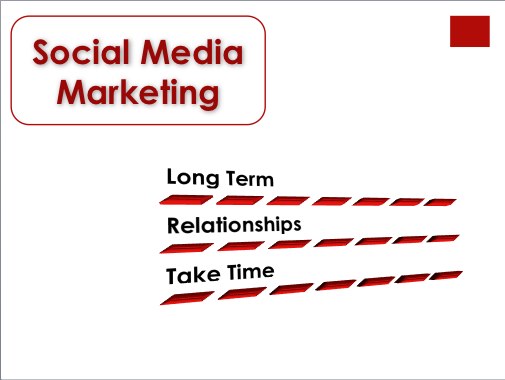
YourSELF – Social media takes time. It is a long-term commitment. Done right, it requires a change of lifestyle. Are you ready to invest the time and effort? The first 5 blog posts are very easy to write. But the 500th? Can you keep up the enthusiasm and generate content over the long run? Are you always connected? Do you have a smartphone? A digital camera? Or, do you have a lifestyle that keeps you away from the computer for most of the day?


I ask my audience to ponder these questions, and make an informed decision about what they want to do. Then, I provide incremental solutions, starting with what I think is the easiest/most familiar to them. Each person can pick and choose a social media solution that fits them best.

I am getting a bit tired of hearing consultants sell social media as a panaceum, and get people into a social media program they are not then able to sustain. I guess you can’t expect a person who makes a living this way to start a sales pitch with reasons why you shouldn’t buy… but that’s the approach I take. Oh, and then… sure, I move on to social media strategies and tactics.